Backup & Storage

Seedbox vs Cloud Storage: Where Your Terabytes Should Live

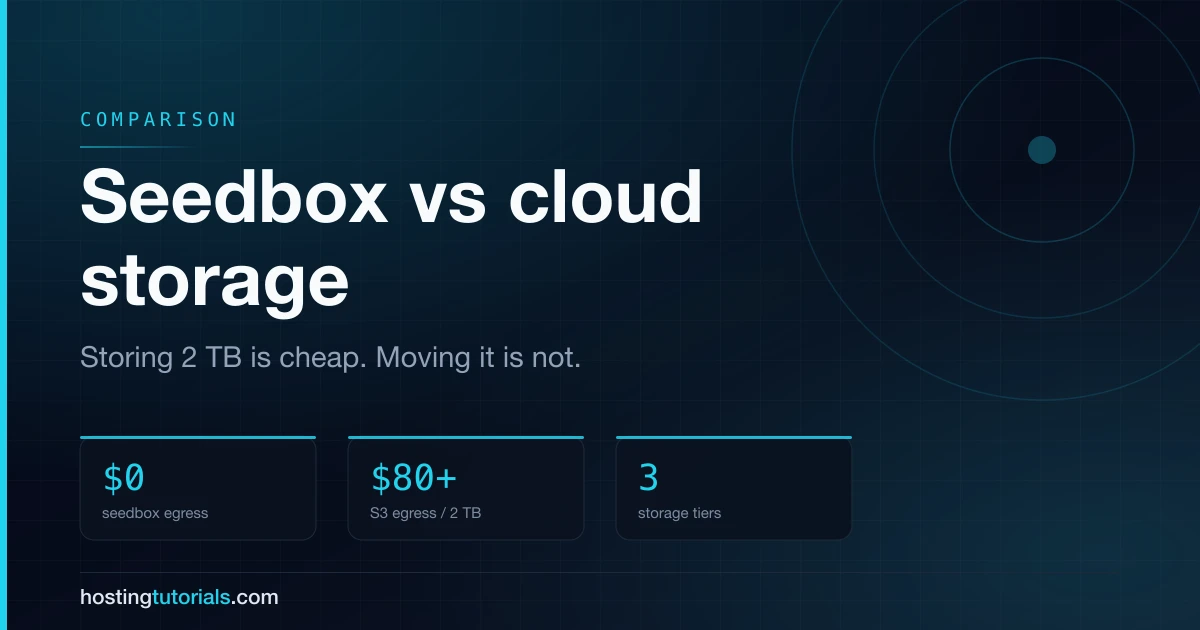
Storing two terabytes is cheap on both. Moving them is not. Egress maths, throughput limits, and the tiered setup that uses both properly.

5 min read
Seedbox vs Cloud Storage: Where Your Terabytes Should Live

Seedboxes and cloud storage both end up holding large amounts of data on somebody else's hardware, so they get compared constantly. They are built for opposite access patterns, and picking the wrong one is expensive in a way that only shows up on the second or third invoice.

Cloud object storage is optimised for durability at rest. A seedbox is optimised for throughput in motion. Storing a terabyte is cheap on both. Moving a terabyte is where they separate.

The cost that decides it

Storage prices look similar. Egress prices do not.

SeedboxObject storage (S3-class)Consumer cloud drive
2 TB stored$10–$20/mo$40–$50/mo$10–$12/mo
2 TB downloadedIncluded$80–$180Included, often throttled
Sustained transfer1–100 GbpsFast, billed per GB50–200 Mbit typical
Compute on the dataYes, full app stackNoNo
Durability guaranteeSingle host, no SLA99.999999999%Provider-defined
Versioning / lifecycleNoYesLimited

The pattern is consistent: seedboxes bundle transfer, object storage bills it, consumer drives throttle it.

Pull 2 TB out of S3-class storage once a month and egress alone costs more than an entire seedbox plan. Store 2 TB you touch twice a year and object storage is both cheaper and vastly more durable.

What each one is actually for

Seedbox — a working set you interact with

A seedbox is a live machine. It runs applications on the data: torrent clients, Sonarr and Radarr for automation, Plex, Emby or Jellyfin for streaming. The disk is directly attached, so an application reads it as a local filesystem.

That makes it the right tool when the data is being used: an active media library, a download workflow, anything you stream or reprocess.

It also means a single host holds your data. There is no eleven-nines durability behind it. Providers run RAID and most keep the hardware healthy, but a seedbox is not a backup.

Object storage — an archive you retrieve from

Object storage is a durable endpoint, not a computer. You cannot run Plex on it. You put objects in and pull them out over HTTP, and the platform replicates them across facilities.

That makes it the right tool when data must survive: backups, archives, anything whose loss is unacceptable and whose reads are rare.

Consumer cloud drives — sync, not infrastructure

Dropbox, Google Drive and OneDrive optimise for sync across devices. Cheap per terabyte, no egress charge, and consistently throttled for sustained transfer. Terms of service also tend to prohibit the workloads people buy seedboxes for.

Speed, honestly

Seedbox uplinks are the headline figure — 10 Gbps is common, Ultra.cc and Seedboxes.cc advertise up to 50 Gbps, Whatbox up to 100 Gbps. On a shared slot those numbers describe the host's port, not a guarantee for you.

Object storage rarely bottlenecks on the storage side; it bottlenecks on your link and on per-request overhead. Many small objects are dramatically slower than one large one — a detail that catches people migrating a media library.

Consumer drives throttle deliberately. Sustained multi-terabyte transfers are not a supported use case, whatever the marketing says.

Use them together

The mature setup is not either/or:

  1. Seedbox as the working tier — acquisition, automation, streaming. Fast, bundled bandwidth, applications running on the data.
  2. Object storage as the archive tier — what you cannot lose, pushed off the seedbox on a schedule with rclone.
  3. Consumer drive for documents — where sync matters and volume does not.

Most seedbox providers ship rclone in the default stack, so tiering from the working set to an archive bucket is a cron job, not a project.

Which to choose

  • Active media library you stream → Seedbox. Object storage cannot run Plex and egress will hurt.
  • Backups that must survive → Object storage. A seedbox is one host with no durability guarantee.
  • Large downloads, then local storage → Seedbox. Transfer is bundled.
  • Sync across laptop and phone → Consumer drive.
  • Both an active library and a real backup → Seedbox plus a bucket, tiered with rclone.

Frequently asked questions

Can a seedbox replace cloud backup? No. A seedbox is a single machine. RAID survives a disk failure, not a host failure, a billing lapse or an account suspension. Treat it as a working tier and push anything irreplaceable to durable storage.

Is a seedbox cheaper than Google Drive? Per stored terabyte, usually not. Per transferred terabyte, dramatically. Google Drive is cheap because it assumes you will not saturate a link with it.

Can I mount object storage on a seedbox? Yes — rclone mount exposes a bucket as a filesystem. Workable for archival reads, poor for anything latency-sensitive like a torrent client's active data.

What about unlimited cloud storage plans? The unlimited plans that survived have fair-use clauses that exclude exactly this workload. Plans marketed as unlimited to consumers have repeatedly been withdrawn once used at scale.

Where to go next

If the working-tier argument lands, our seedbox provider breakdown compares uplink, storage tier and location across every host we track. If you are still deciding between a managed appliance and a server you administer yourself, seedbox versus VPS covers that trade in detail.

Some links on this page are affiliate links. If you sign up through them we may earn a commission, at no extra cost to you. It never changes which providers we recommend or how we rank them.

Related comparisons

ComparisonsBackup & Storage

The Cheapest Seedbox Is Not the One With the Lowest Price

# The Cheapest Seedbox Is Not the One With the Lowest Price The cheapest seedbox on the market right now costs €2.99 a month. It is also, by a wide margin, the most expensive way to store a terabyte....